Clone a voice
Make your own voice from 6–15 seconds of speech, then use it in the Studio like any built-in voice. Three steps, about two minutes, right in the browser at vieneu.io.
You need: a signed-in VieNeu account, and a recording or a microphone.
The screenshots show the Vietnamese interface. Button names are given in English first, then in Vietnamese in brackets.
Prepare the sample
The cleaner the sample, the closer the voice.
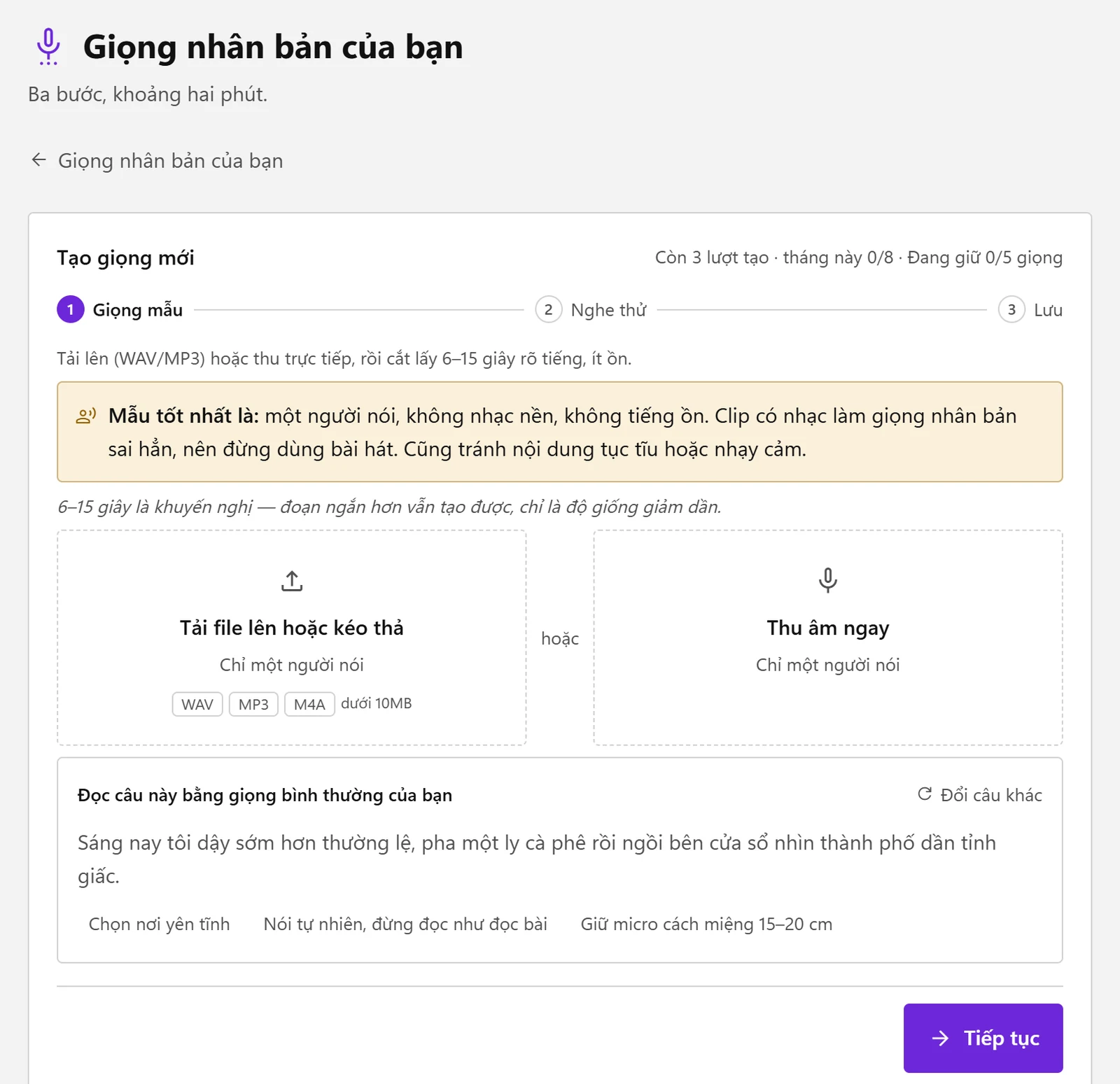
- 6–15 seconds long. Shorter still works, but the voice resembles the speaker less. For a longer file, VieNeu picks the clearest stretch for you.
- One speaker, no background music, no noise. Do not use songs: music throws the clone off completely.
- Speak naturally, not like reading aloud. Record somewhere quiet, with the microphone about 15–20 cm from your mouth.
- WAV, MP3 or M4A, under 10 MB.
- Only clone your own voice, or the voice of someone who agreed to it.
Step 1 — Open Voice cloning
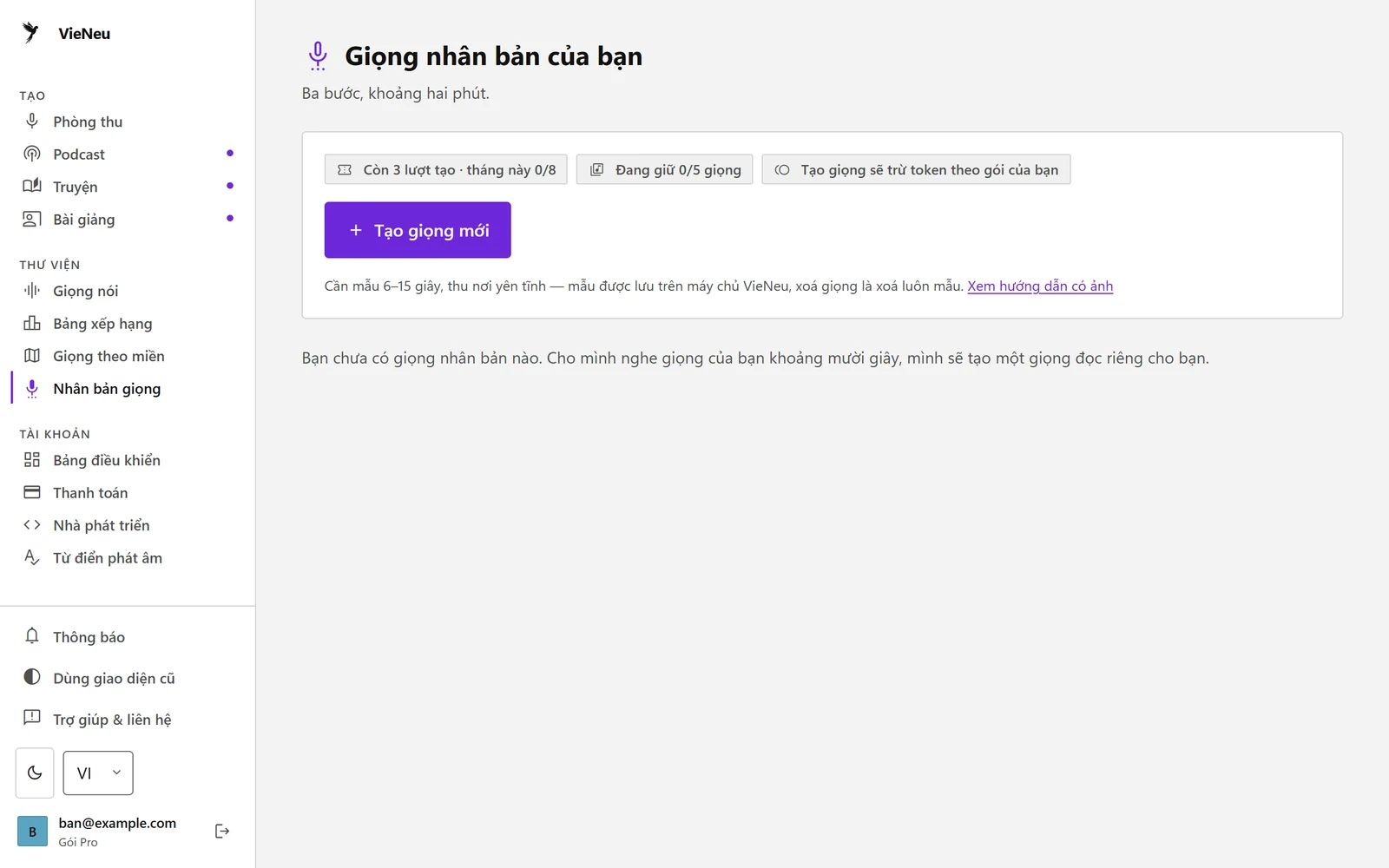
Sign in at vieneu.io, click Voice cloning (Nhân bản giọng) in the left sidebar, then Create a voice (Tạo giọng mới).
The top of the page shows how many creations you have left and how many voices you are keeping (both depend on your plan).
Step 2 — Add the sample
Pick one:
- Upload a file or drop it here (Tải file lên hoặc kéo thả).
- Record now (Thu âm ngay). The page gives you a sentence to read. Keep going until the bar turns green.
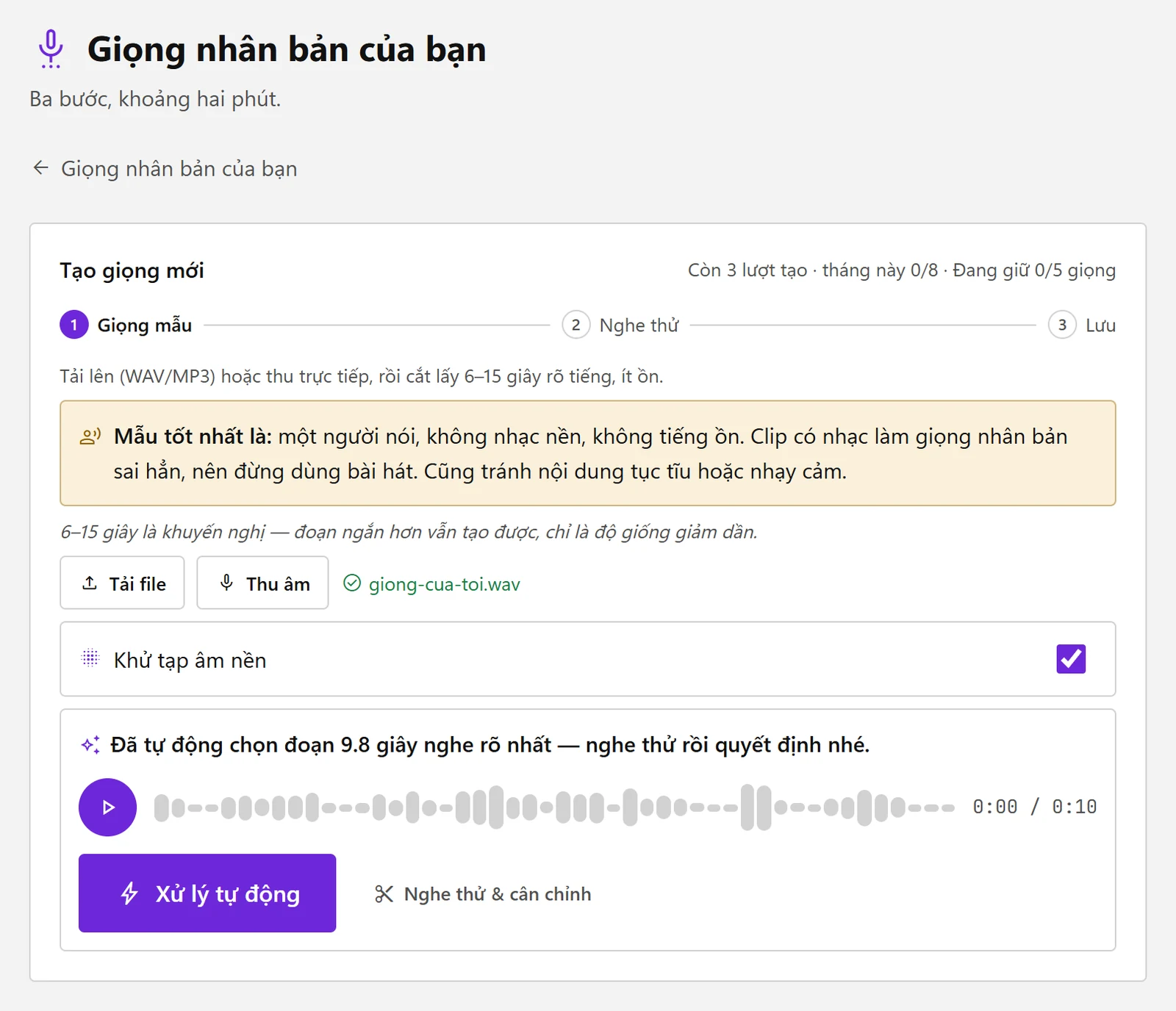
VieNeu picks the clearest stretch of the file. Press play to hear it, then choose:
- Auto-process (Xử lý tự động), recommended: VieNeu removes noise and transcribes the speech, then takes you straight to naming.
- Listen & adjust (Nghe thử & cân chỉnh): check the transcript and audition the voice before saving. See below.
Remove background noise (Khử tạp âm nền) is on by default. Leave it on unless the sample is already very clean.
Optional: check the transcript and listen
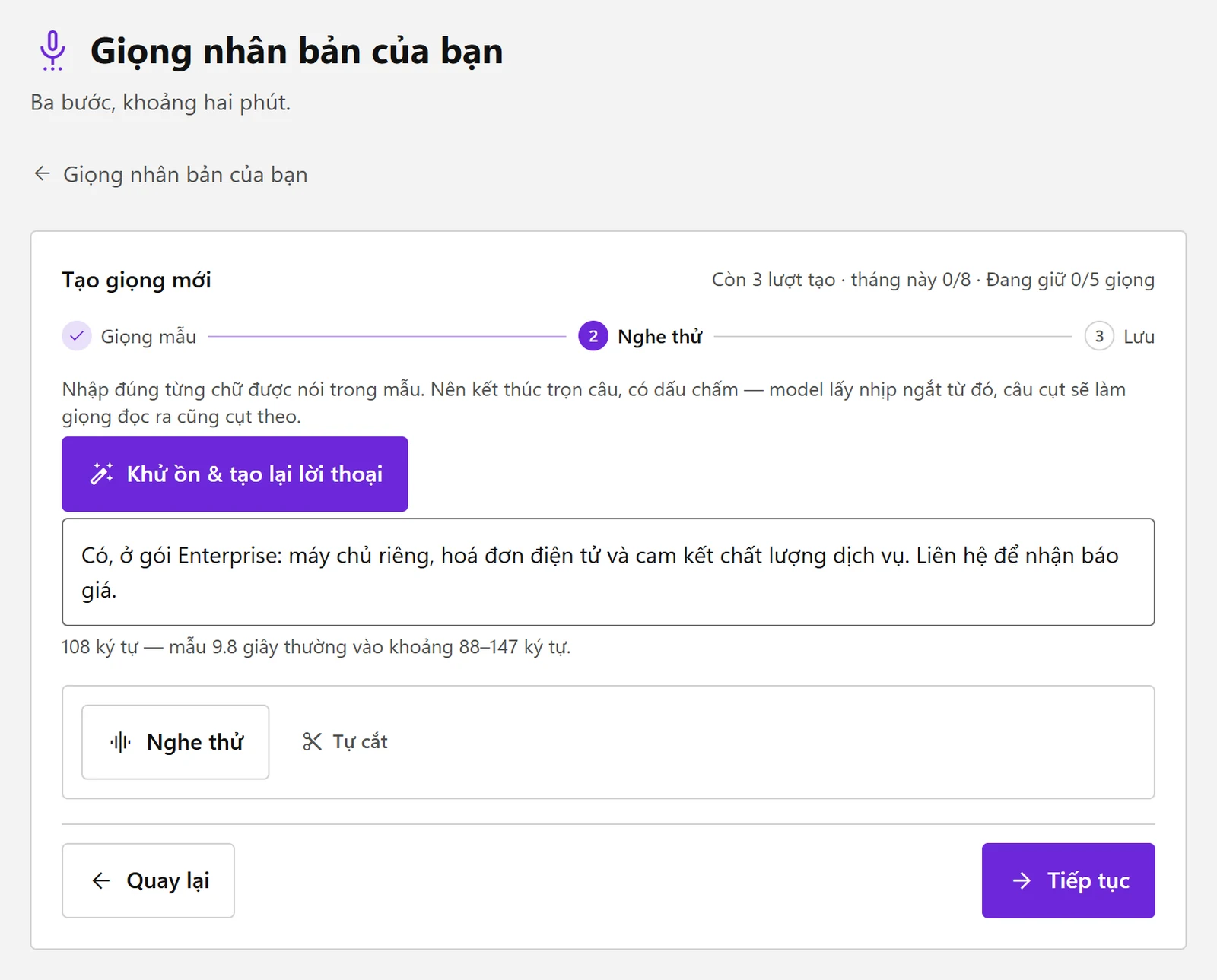
The transcript is filled in for you. Make sure it matches every word spoken in the sample, and end on a full sentence with a period: the voice takes its pauses from it.
Click Listen (Nghe thử) to hear one sentence in this voice before saving. If it does not sound right, choose Cut it myself (Tự cắt) to pick a different stretch. Nothing is used up until you save.
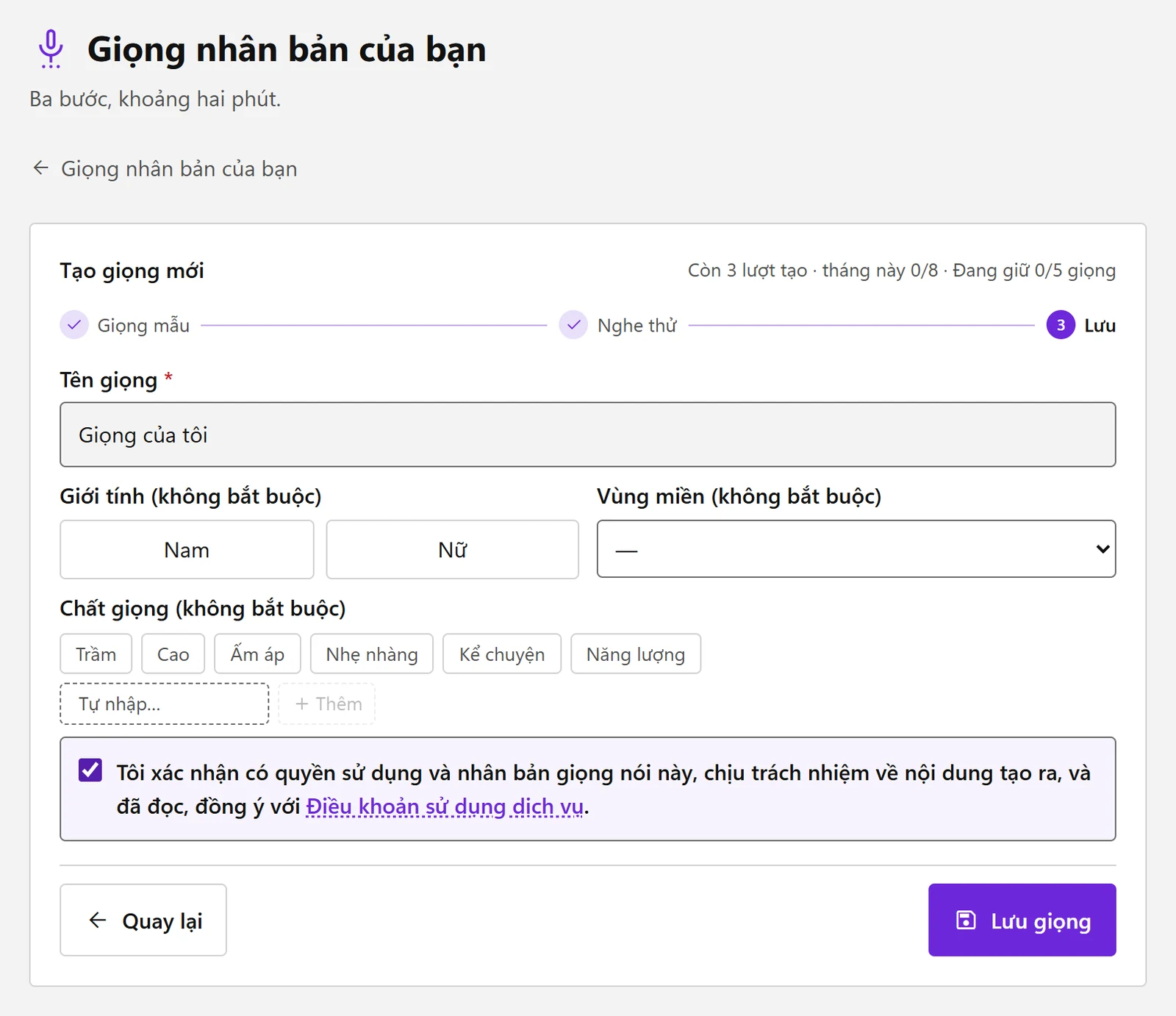
Step 3 — Name it and save
- Enter a voice name (required).
- Gender, region and voice traits are optional. They make the voice easier to find later.
- Tick the box confirming you have the right to use and clone this voice.
- Click Save voice (Lưu giọng).
Use your new voice
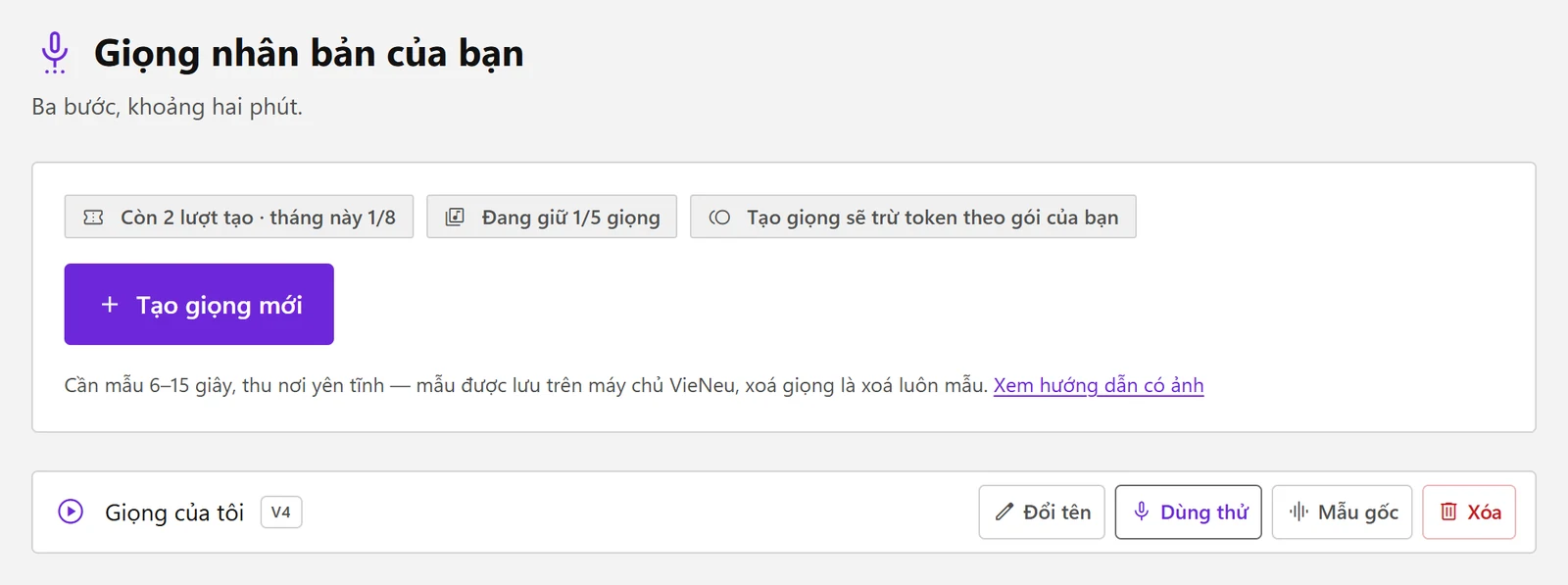
The voice appears under Your cloned voices:
- Try it (Dùng thử): opens the Studio with this voice already selected.
- Rename, Reference (play the sample back), Delete.
In the Studio, your voice sits in the My voices group of the voice picker, ready whenever you need it.
Through the API: each cloned voice has an id of the form clone_…. Call
GET /v1/voices to see it, then use it in POST /v1/tts like any other voice
(see the API reference). Only creating a voice has to
happen on the website.
Limits, cost and your sample
- Each plan limits how many voices you can keep at once and how many you can create per day and per month. What is left always shows at the top of the Voice cloning page.
- Deleting a voice frees a slot to keep another one, but does not give back a creation you already used.
- If your plan charges for creating a voice, the page shows the cost before you save. Reading text with a cloned voice costs the same tokens as a built-in voice.
- Your sample is stored on VieNeu's servers. Deleting the voice deletes the sample too.
Troubleshooting
| What you see | What to do |
|---|---|
| Create a voice is locked and says you are out of creations | You have used today's or this month's creations, or you are keeping as many voices as your plan allows. Deleting a voice only helps with the keep limit. Upgrade under Billing. |
| The voice does not sound like the speaker | Use a cleaner sample with one speaker and no music. Take 10–15 seconds. Check that the transcript matches word for word. |
| The file will not upload | It must be under 10 MB. Trim it before uploading. |
| Still stuck | Click the support icon in the bottom-right corner of the page to message the VieNeu team. |